Konfiguration
| Bereich |
Einstellung |
Wert
|
| VPN → WireGuard → Settings |
Enable WireGuard |
aktiviert
|
| VPN → WireGuard → Settings |
Status |
Enabled
|
| VPN → WireGuard → Settings |
Aktion |
Apply
|
WireGuard Instance – WG
| Parameter |
Wert
|
| Enabled |
Ja
|
| Name |
WG
|
| Instance |
0
|
| Public key |
DaPF7JvnRYpNuXiFgo4Uqu/Yq9dmz0Gu8mijd4h...
|
| Private key |
gDvRj18foAvOVGTvZR6ca2ewRQBstGlg/I5cdPUA...
|
| Listen port |
55555
|
| Tunnel address |
172.30.32.1/24
|
| Depend on (CARP) |
None
|
| Peers |
|
| Disable routes |
Nein
|
| Debug log |
Nein
|
Interfaces
| Feld |
Wert
|
| Device |
wg1 (WireGuard - WG)
|
| Description |
WG
|
| Aktion |
Add
|
Firewall
- WAN
| Parameter |
Wert
|
| Action |
Pass
|
| Disabled |
Nein
|
| Quick |
Ja
|
| Interface |
WAN
|
| Direction |
in
|
| TCP/IP Version |
IPv4
|
| Protocol |
UDP
|
| Source |
any
|
| Destination |
This Firewall
|
| Destination Port (from) |
51820
|
| Destination Port (to) |
51820
|
| Log |
Nein
|
- WireGuard (Group)
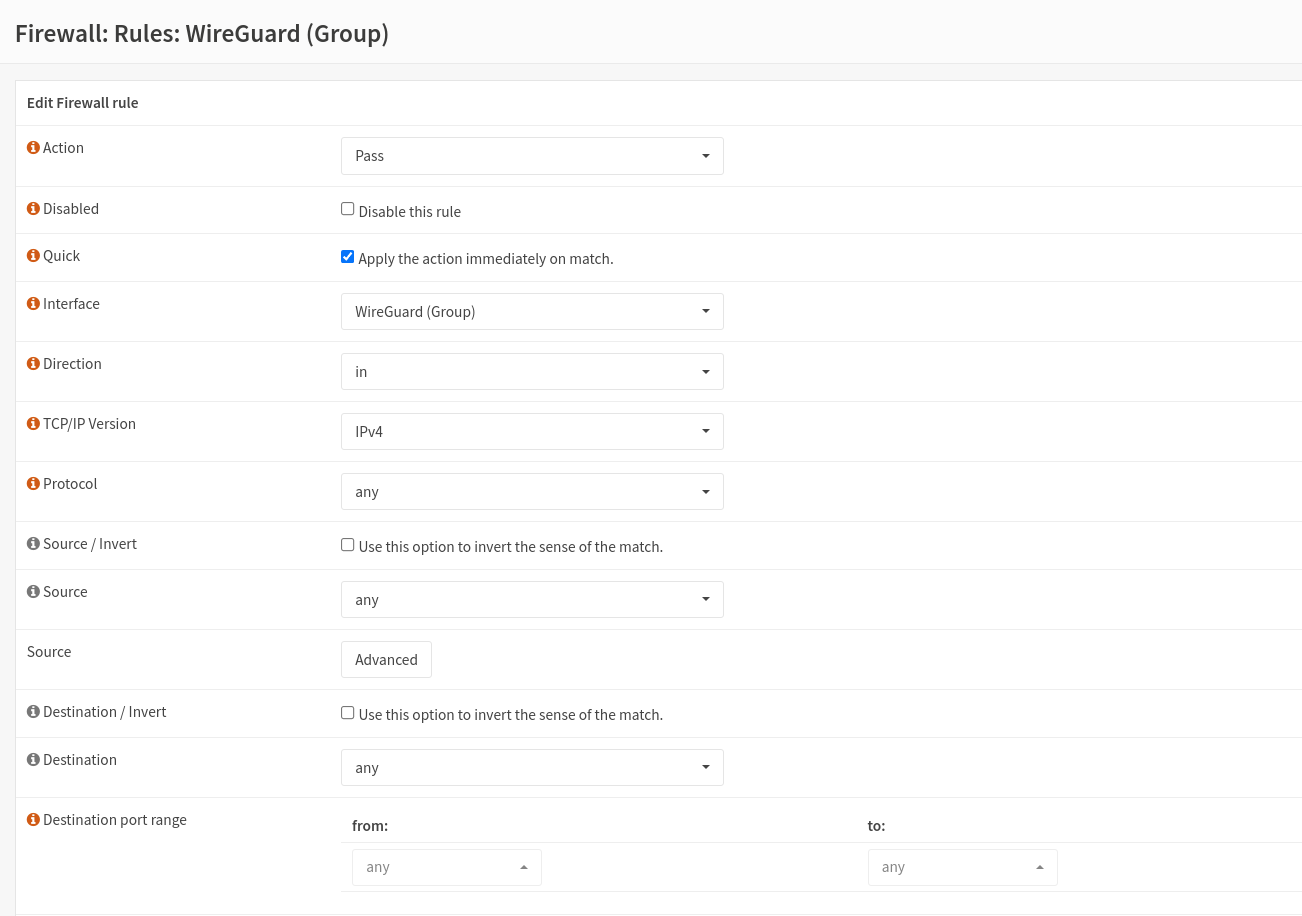
An einem Linux System
- PUBKEY_SERVER=XbO5anN/a6S6fR40N6xn+lqkctdAZK4yudaVAUtVmh8=
- PRIVKEY=$(wg genkey)
- PUBKEY=$(echo $PRIVKEY | wg pubkey)
[Interface]
Address =  172.30.32.101/24
PrivateKey = $PRIVKEY
#PUBKEY = $PUBKEY
DNS = 8.8.8.8

[Peer]
PublicKey = $PUBKEY_SERVER
AllowedIPs = 0.0.0.0/0
Endpoint = opns-zw.ix.de:55555
HERE
generate the qrcode
- qrencode -t utf8 < client1.conf
Peer hinzufügen
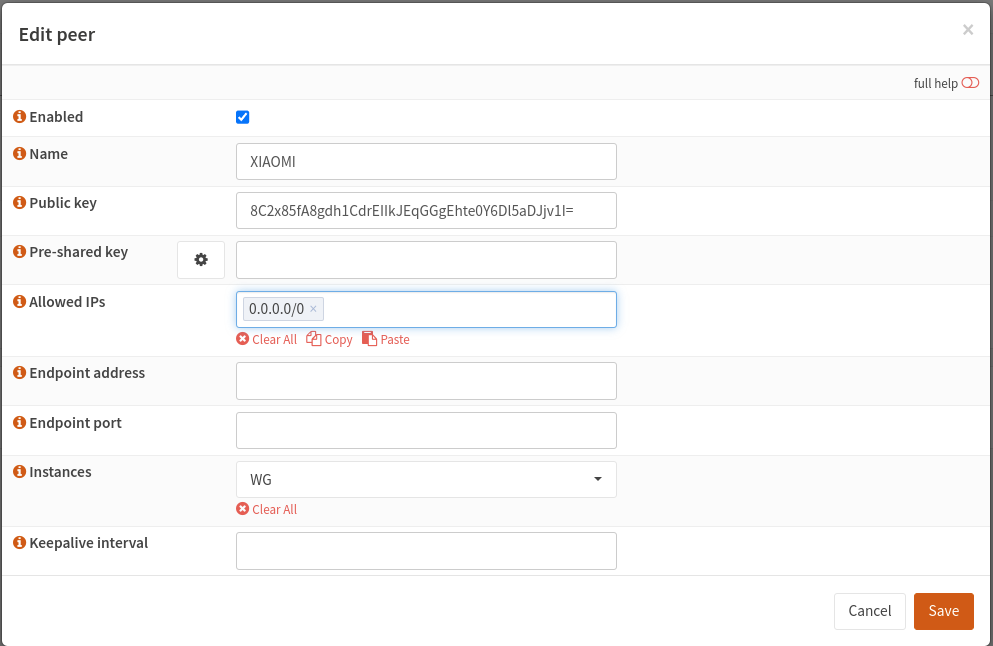
Auf Linux System
- Wireguard installieren
- sudo apt install wireguard
- Konfigurationsdatei der Opnsense einfügen
- sudo vi /etc/wireguard/wg0.conf
[Interface]
PrivateKey = uNBjRjmVjfut59L8cAMxRGhcPdXi/BxtidSrDU+EWXU=
Address = 172.30.32.2/32

[Peer]
PublicKey = DaPF7JvnRYpNuXiFgo4Uqu/Yq9dmz0Gu8mijd4h622E=
PresharedKey = 8/sxyen2B/1PeNsSe+KfgNuUJgF5F0y2RWcHZMtbXEU=
Endpoint = opnsense.it213.xinmen.de:55555
AllowedIPs = 0.0.0.0/0,::/0
PersistentKeepalive = 10
Wireguard start
Wireguard stop
Wireguard show
Webseite

